

MacOS is great in all kinds of ways, but it’s far from the most customizable operating system out there. Sure, it’s not locked down to the extent iOS and iPadOS are, but compared to Linux and even Windows, macOS really doesn’t let you change the look and feel very much.
But that isn’t to say there’s no room to tweak the operating system to make it the way you like—if you know where to look. Here are a few third-party tools that let you make macOS your own.
Use a custom cursor
It’s pretty easy to change how the mouse pointer looks on Windows and Linux—you just need to dig around in the settings. On macOS, you can only change the size of the pointer.
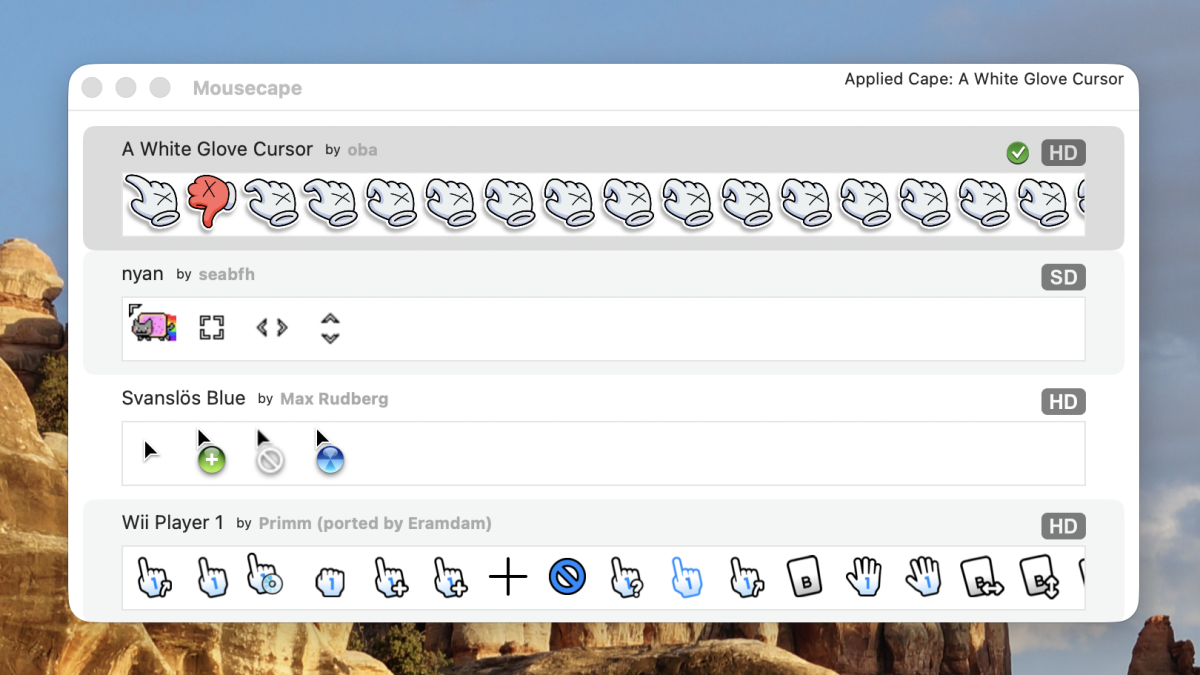
Unless, that is, you install the free and open source Mousecape. This application lets you create a cursor, then use it in place of the default system ones. You can also install cursors made by others. There’s no centralized collection of cursors for this, unfortunately, but I found a fun hand on Github, some Wii cursors, and a decent collection on DeviantArt. You could also try your hand at creating your own set.
Note that Tahoe users will have to download an updated fork in order to use Mousecape—the main build doesn’t work at the moment. You’ll need to install a pre-release download as of this writing.
Use any website as your wallpaper
Credit: Justin Pot
Some great wallpapers, including dynamic ones, are included with macOS. There’s also the option to use your own photos. But what macOS doesn’t offer are custom, animated wallpapers.
Enter Plash. This free application lets you turn any website into a macOS wallpaper, which opens up all kinds of interactive possibilities. A few sites included let you look out a random stranger’s window, see real-time weather data, or take in some animated pixel art, but you can use any website you can think of. It’s a lot of fun to play around with.
Credit: Justin Pot
The macOS menu bar is a bit of a mess. Windows makes it relatively easy to hide icons by dragging them to a secondary area. Apple hasn’t offered anything like this until Tahoe, which added a way to disable any icon in the settings. The problem: it’s all or nothing. Hide an icon in the settings and there’s no quick way to access it other than going back into the settings and turning it back on.
For that, you’ll need a third party app. I personally recommend Ice, which is the best free app for cleaning up your menu bar. My coworker Pranay recommends Barbee, another great option. Both make it easy to hide menu bar icons in a secondary bar accessible by hitting an icon, similar to how it works on Windows. Every Mac user should install some sort of tool like this.
Change your folder icons
Credit: Justin Pot
This one isn’t unofficial, exactly, but it’s so buried it might as well be. You can change the icon for any folder, document, or even application by right-clicking it, clicking “Get Info”, then dragging an image to the icon in the window that opens. Weird, right? But it works, meaning you can customize folders to look however you want. I talked about this in an article with more details.
This gets really fun if you install Fancy Folders, a free application seen in the image above which allows you to create folder icons in the color of your choice, complete with either the text or icon of your choice. It’s a lot of fun to play with, and can be very useful for visually keeping things organized.
