

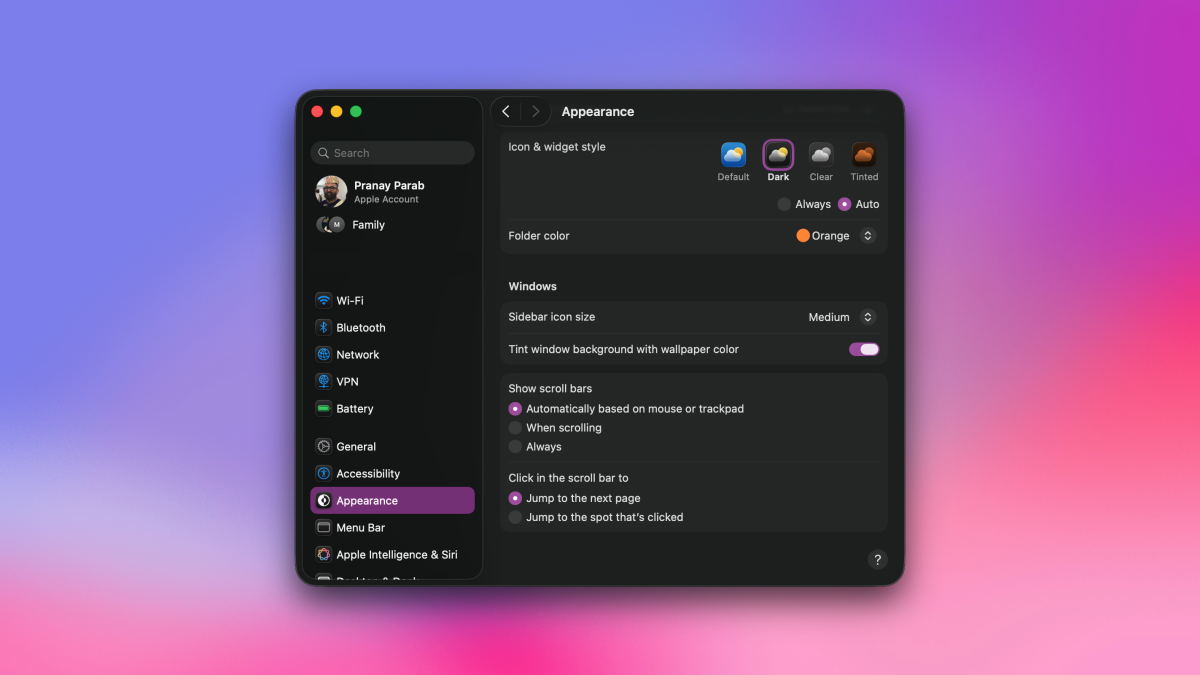
So far, macOS hasn’t been as big on theming and customization as I’d like, but that’s changing with its newest version. In macOS 26 Tahoe, Apple’s shipped a bunch of ways to customize the look and feel of your Mac’s desktop, app icons, and menu bar, among other things. And there’s more to it than just tweaking how Liquid Glass looks. If you’re the sort of person who enjoys theming and customization, try these tips.
Tweak app icons in the Dock
Credit: Pranay Parab
Your Mac’s Dock probably has a bunch of colorful icons. I’ve always enjoyed those diverse colors, but others might want something more uniform. If you feel like going with a particular tint, or if you just want your app icons to use dark mode, it’s just a quick tweak away. Click the Apple logo in the top-left corner of your Mac’s screen and go to System Settings > Appearance > Icon & widget style. Here, you can change the app icons to Dark, Clear, or Tinted. The Tinted option lets you select a single tint for all your app icons, so choose the color you like the most.
Customize the clock in your Mac’s lock screen
Credit: Pranay Parab
Once you upgrade to macOS Tahoe, you’ll probably notice the new clock on your lock screen. You can tweak this to your liking, too. Just go to System Settings > Wallpaper > Clock Appearance. You can choose one of six clock styles. Don’t forget to adjust the slider below the Weight option, which lets you change the font to make the clock look sleeker or more prominent.
Customize the Control Center
Credit: Pranay Parab
With iOS 18’s release in 2024, Apple started letting you customize your iPhone’s Control Center. This year, that feature is finally on Mac, starting with macOS Tahoe. To use it, just click the Control Center button in the menu bar at the top of your Mac’s screen, and select Edit Controls. There are plenty of controls to choose from, so take your time and add what you need. You can drag-and-drop any of the controls to move them around, or you can click the – (minus) button next to any control to remove it from the Control Center. Alternatively, you can tweak your control center under System Settings > Menu Bar > Menu Bar Controls.
Credit: Pranay Parab
One of the more controversial changes to macOS Tahoe is the swap to a transparent menu bar. The clear color sometimes makes it harder to read text, but if you don’t like that, you can restore a background to your menu bar. This feature is under System Settings > Menu Bar > Show menu bar background.
What do you think so far?
Change folder icon colors on Mac
Credit: Pranay Parab
If you’re tired of the default blue color for folder icons, macOS Tahoe lets you tweak this to suit your style. Go to System Settings > Appearance > Folder color and use the drop-down menu to change the color of folder icons. I’d have never thought of myself as a person who uses orange folder icons, but I suppose we all go through a tangerine season at some point in our lives.
Switch Mac theme in Settings
Credit: Pranay Parab
macOS Tahoe also gives you limited control over your Mac’s theme. If you go to System Settings > Appearance > Theme and pick a color, you’ll notice that this color also applies to the cursor in writing apps, and the color of selected items in menus, too. On the same menu page, you can also choose a different color for highlighted text, which is a nice additional level of customization. It ensures that if I pick a particularly bright color for my overall theme, I can still choose a milder color for text selection. That helps me stay focused while I’m working, which is something I value a lot.
