

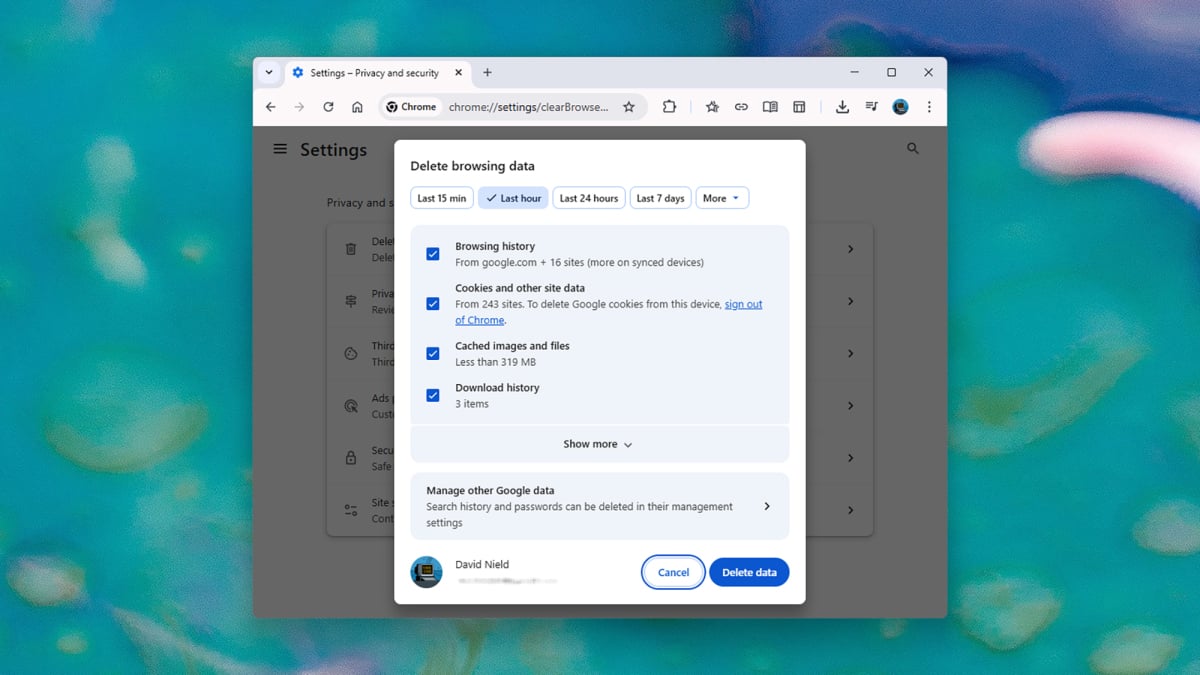
Manually or automatically wiping your browsing history is a well-established way of protecting your privacy and making sure the digital trail you leave behind you is as short as possible—but it’s important to be aware of the limitations of the process, and to understand why deleting your browsing history isn’t always as comprehensive an act as you might think.
In short, the records of where you’ve been aren’t only kept on your local computer or on your phone, they’re found in various other places too. This is why fully wiping away your browsing history is more difficult than it initially appears.
Modern browsers typically sync your browsing history
Just about every modern browser can now sync your browsing history across devices, from laptop to mobile and back again. There are benefits to this—being able to continue your browsing on a different device, for example—but it means that deleting the list of websites you’ve visited on one device won’t necessarily clear it everywhere.
Consider Apple’s Safari, which by default will sync your online history, bookmarks, and open tabs between all of the iPhones, iPads, and Macs using the same Apple account. You can manage this by selecting your account name and then iCloud in Settings on iOS/iPadOS or in System Settings on macOS.
Deleting browsing history in Safari.
Credit: Lifehacker
Whether or not Safari syncing is enabled through iCloud will affect how browsing history is deleted—when you try to delete this history on mobile or desktop, you’ll see a message telling you what will happen on your other devices. In Safari on a Mac, choose History > Clear History; on an iPhone or iPad, choose Apps > Safari > Clear History and Website Data from Settings.
Most other browsers work in the same way, with options for both syncing history and deleting history. In Chrome on the desktop, for example, open Settings via the three-dot menu (top right): You can manage syncing via You and Google > Sync and Google Services > Manage what you sync, and clearing your history via Privacy and security > Delete browsing data.
The apps and sites you use are tracking you
Aside from all the history your actual web browser is collecting, you also need to think about the data being vacuumed up by the apps and websites you’re using. If you log into Facebook, Meta will know about the comments you’ve left and the photos you’ve liked, no matter how much you scrub your history from Edge or Firefox.
How much you can do about this really depends on the app or site. Amazon lets you clear your search history, for example: On the desktop site, click Browsing History on the toolbar at the top, then click the gear icon (top right). The next screen lets you delete all or some of your browsing history, and block future tracking—though you won’t be able to reorder items as easily, and your recommendations will be affected.
Clearing data from a Google account.
Credit: Lifehacker
Meta lets you clear your Instagram and Facebook search history, at least: You can take care of both from the Meta Accounts Center page in a desktop browser. Click Your information and permissions then Search history to look back at what you’ve been searching for. The next screen gives you options for manually and automatically wiping your search history.
What do you think so far?
Google runs a whole host of online apps as well as a web browser. You can manage all your Google data from one central point from your desktop browser: Your Google Account page. Click Data and privacy to see everything Google has collected on you, and click through on any activity type to manually delete records or set them up to be automatically deleted after a certain period of time.
Your internet provider always knows where you’ve been
The final place there will be copies of your internet browsing history are on the servers of your internet service provider—that is, whichever company you’re paying for access to the internet is keeping logs of the places you’ve been, for all kinds of purposes (from security to advertising). And yes, this includes sites that you open while in incognito mode.
How this is handled varies from provider to provider. For example, AT&T’s privacy notice states that the company will “automatically collect a variety of information”, including “website and IP addresses,” “videos watched,” and “search terms entered.” The company says this data will be kept for, “as long as we need it for business, tax, or legal purposes.”
A VPN can hide your browsing from your internet provider.
Credit: Lifehacker
There’s not a whole lot you can do about this either—it’s a trade-off you have to make if you want access to the web. Some providers, including AT&T, will let you opt out of certain types of information sharing if you get in touch with them directly, but you can’t prevent the tracking from happening in the first place.
What you can do is mask your browsing with a VPN (Lifehacker has previously picked the best paid VPNs and the best free VPNs for you to try out). As all your internet traffic will be routed through the VPN’s servers, your internet provider will no longer be able to see what you’re doing. Your VPN provider will, however—so find one that you can trust, and which has a no-logs policy that’s been verified by a third-party security auditor.
