

We may earn a commission from links on this page.
Credit: Michelle Ehrhardt.
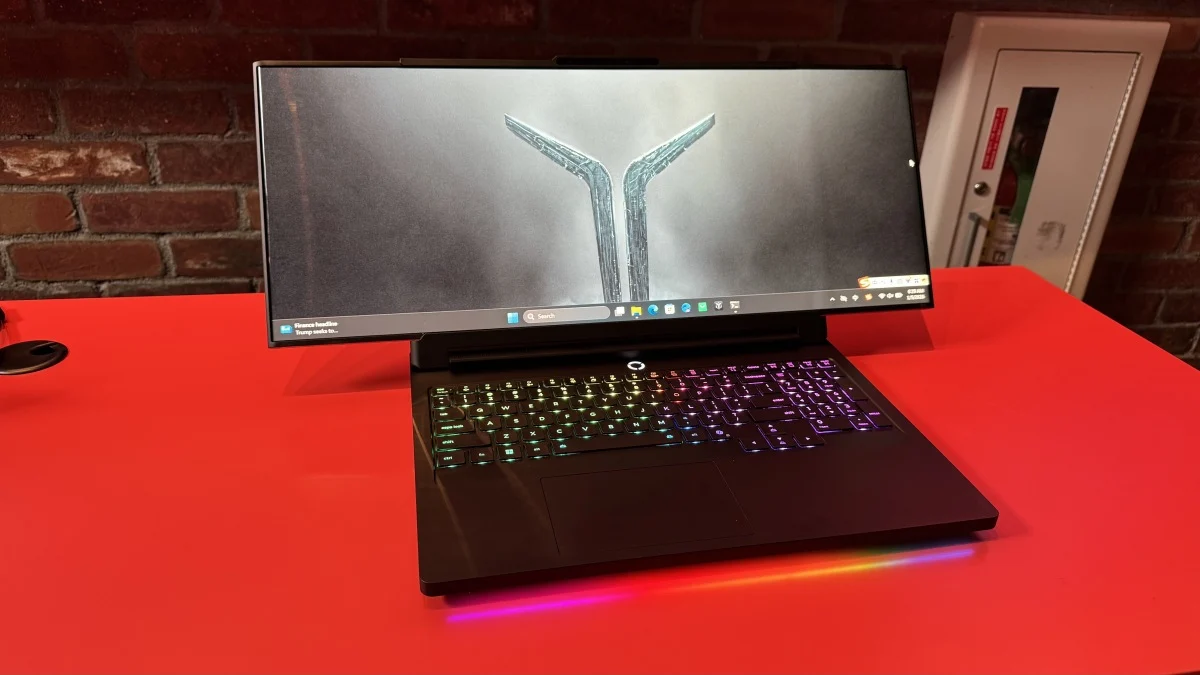
Choosing a gaming monitor is a tough choice. Do you want a standard, 16:9 monitor that takes up a small amount of desk space, or a larger 21:9 or even 32:9 ultrawide monitor that takes up more space, but will also show you more of your game? This goes double for laptops, where ultrawide models are few-and-far between, and are absolutely gigantic. Lenovo’s new concept for CES, the Lenovo Legion Pro Rollable, aims to give you the best of both worlds.
When the laptop is closed, or when you first open it up, the Legion Pro Rollable looks like any other gaming laptop. It’s a little thick, with RGB keys and a full numpad, but otherwise isn’t notable. It’s also got a bog standard, 16:9 aspect ratio. But with the press of a button, it can extend to a 21:9 ultrawide screen. And while it’s not quite as fancy as the 32:9 screens the most spoiled gamers use, you can actually extend it further to a 24:9 screen if you want.
That trick is possible thanks to a rollable OLED panel, something Lenovo’s shown off and even released before, but for laptops that extend vertically, and aren’t meant for gamers. The transformation is quick and quiet, and Windows doesn’t even need time to adjust to match your new aspect ratio. It kind of feels like you’re unfurling a scroll.
In total, the screen space can extend from 16-inches in 16:9 (or “Focus”) mode to 21-inches in 21:9 (or “Tactical”) mode to 24-inches in 24:9 (or “Arena” mode). Aspect ratio numbers don’t always match screen space measurements that neatly, but hey, they’re easy to keep track of here.
Having up to 24 inches of screen space on-the-go could be a life changer, and not just for gamers. Currently, I’m writing this article while traveling, which means I’m stuck with just my laptop screen. I’m sorely missing the second monitor I have at home, and being able to swap my screen into an ultrawide mode could easily fix that issue. Plus, I could just shrink it back down to a more standard form factor when it comes time to pack it away.
The only real catches would be weight and price. I don’t have specific numbers for how heavy this is, but it didn’t feel too different from any other gaming laptop in my hands. Beefy, but not back-breaking.
What do you think so far?
As for price, here’s the kicker. Because this is just a concept, there’s no pricing or availability info, since it’s not guaranteed to come out. Lenovo does say the unit I saw is based on a top-specced Lenovo Legion Pro 7i, though, which currently goes for around $3,000.
That would be a lot to pay, especially because the extending screen would probably add a couple hundred dollars to the price tag. I wouldn’t put too much stock into the demo unit right now, though—if this does make it to market, you’ll probably be able to configure it to better match your needs.
Personally, though, I might be willing to pay that $3,000. Not only is this truly unique in the space, but it also conveniently solves one of my biggest pain points when I have to use my laptop, which is the lack of a two-screen setup. It could even be useful for desktop gamers looking to make the transition to portable gaming—no more having to choose which type of monitor you want.
