

We may earn a commission from links on this page.
Nearly one decade after its release, the Switch’s core design is still pretty ingenious: You can play games of all kinds, including graphically-demanding AAA titles, both on your TV as well as on the go. Of course, the console wouldn’t work well if it ran out of battery 30 minutes after playing Skyrim or Tears of the Kingdom, so Nintendo reduces the performance of many games to preserve battery life. The original Switch has a 720p display anyway, so you don’t really notice the downgrade in resolution, and any hit frame rates is justified by, well, the fact you’re playing Skyrim out of the house.
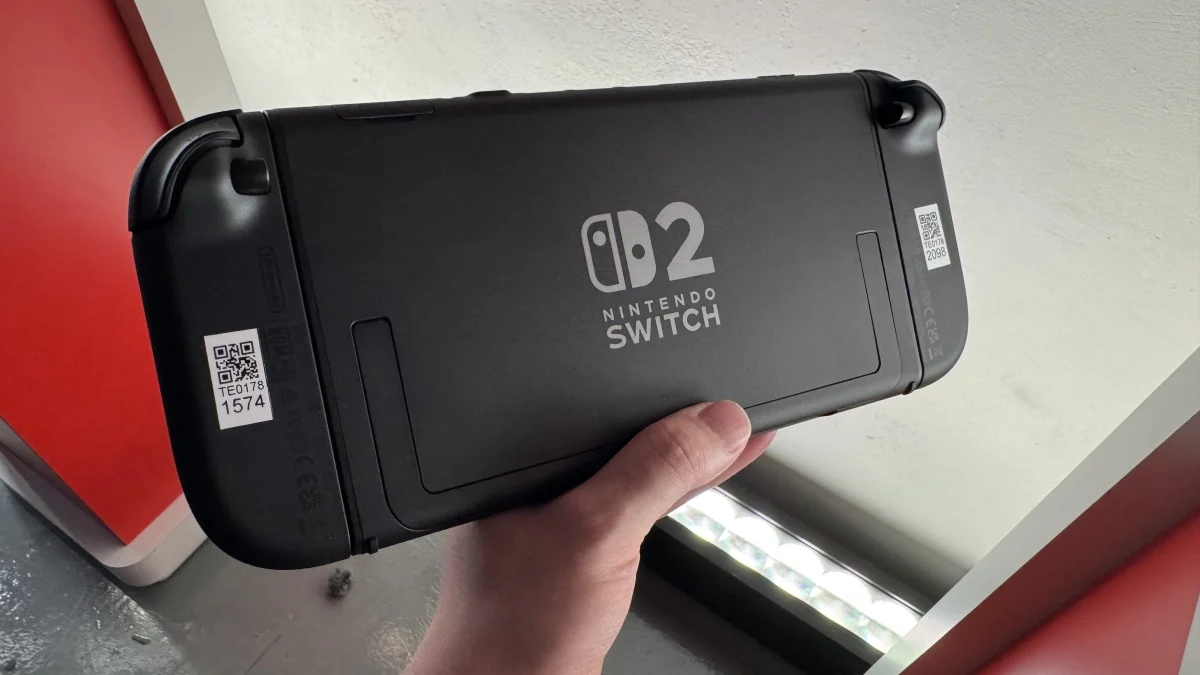
The Switch 2 carries over this design “tradition,” if you will, only more so: The upgraded hardware now supports games with higher resolution and higher frame rates, but you can only run games in 4K when connected to your TV. (The dock even has a fan built into it to keep the console cool.) When playing in handheld, the resolution drops to a maximum of 1080p—not a big deal, when the display is also 1080p.
The issue, however, comes when you run Switch 1 games in handheld mode on Switch 2. While those games will run at their full 1080p resolution in docked mode, they’ll drop down to their more limited performance modes when in handheld—even on Nintendo’s more powerful console. While the overall effect won’t be any different when playing on a Switch 1 versus a Switch 2, it’s a shame, since the latter could theoretically handle those older games at their “docked” settings.
“Handheld Mode Boost” runs Switch 1 games at full resolution
Nintendo, it seems, finally has a solution. In the company’s latest system update for Switch 2 (version 22.0.0), Nintendo added a new setting called “Handheld Mode Boost.” According to the update’s release notes, Handheld Mode Boost will run “compatible Switch software as if in TV Mode.” In other words, Switch 1 games will run in their full resolution when playing in handheld mode on Switch 2.
Take, for example, Tears of the Kingdom. That game can run at 900p when docked (even 1080p Zelda is too much for the Switch 1 to handle in docked mode), but drops down to 720p in handheld mode. But now, you’ll be able to play it as it runs on your TV, but on your Switch 2’s screen instead. That’ll be the case for many games—at least, the ones that are “compatible.” Nintendo didn’t specify which titles those might in its release notes, so this could be a case-by-case basis.
What do you think so far?
Now, this isn’t going to make every Switch 1 game suddenly Switch 2-level. Remember: The Switch 1 is running old hardware, even by 2017 standards. Even in docked mode, the best you can hope for is 1080p at 60 fps, and that’s for less-demanding titles. The more intense the game, the lower the frame rate, and, potentially, the lower the resolution. Again, both open-world Zeldas on Switch run at a maximum of 900p at 30 fps. If you want to experience those games in a higher resolution (1080p at 60 fps), you’ll need to fork up the $10 each for Nintendo’s Switch 2 upgrades.
But for games that don’t have official Switch 2 upgrades, or for gamers who don’t want to spend extra money to upgrade games they already own, this new setting is quite useful. Just be prepared for some glitches or oddities: Nintendo says that the effect of this mode will vary based on the game itself. Since this is emulating TV mode, the touch screen may not work, and your Joy-Con 2 controllers will be interpreted as a Switch 2 Pro controller. You can still use other controllers, but you’ll need to detach them from the Switch 2 first.
How to enable “Handheld Mode Boost”
To play your compatible Switch 1 games in their full resolution, you’ll need to manually activate this feature. First, make sure your Switch 2 is running version 22.0.0 or newer. You can check from Settings > System > System Update. Next, under Settings > System, choose “Nintendo Switch Software Handling.” Now, tap the toggle next to “Handheld Mode Boost.”
