

We’ve been using passwords to protect our various accounts for a few decades now, and, to be honest, we’re not very good at it. Many of us use the same simple, easy to remember passwords for all of our accounts—convenient for logging in, but horrible for security. Not only will a bad actor (or computer) be able to guess that password easily, they’ll try it against your other accounts. Before you know it, you have multiple breaches, some of which may involve financial or private information.
There are a number of steps you can take to beef up your password security, of course. First, you can use a complex and unique password for each of your accounts, making sure to never reuse a password. A well-made password can be impossible for a human to guess, and virtually impossible for a computer to guess. But even if a company loses your password in a data breach, using two-factor authentication (2FA) can protect you further. Without a trusted device that either generates or receives a 2FA code, your password becomes essentially useless to hackers. And since you didn’t repeat passwords, they can’t try it on your other accounts. That’s what makes this combo a winning strategy.
But many, if not most, of us aren’t using this winning strategy. Many are still at risk, or putting their organizations at risk, with insecure authentication measures. As such, there’s a push for consumers to adopt a new form of authentication, something that combines the convenience of passwords, with the security of 2FA, all without you needing to remember a thing: passkeys.
What are passkeys?
Passkeys are a (relatively) new authentication method that offer a similar experience to passwords without actually involving a password of any kind. The measure relies on something called public key cryptography: When you create a new account with a passkey, or you create a passkey for your existing account, a “key pair” is generated. One of these keys is public, and is stored by the company that runs the account in question. This key is not a secret, and, theoretically, could be stolen or lost in a breach. However, the other key is a secret. This private key is stored on your device–such as a smartphone, tablet, or computer—and is what is used to actually authenticate your identity.
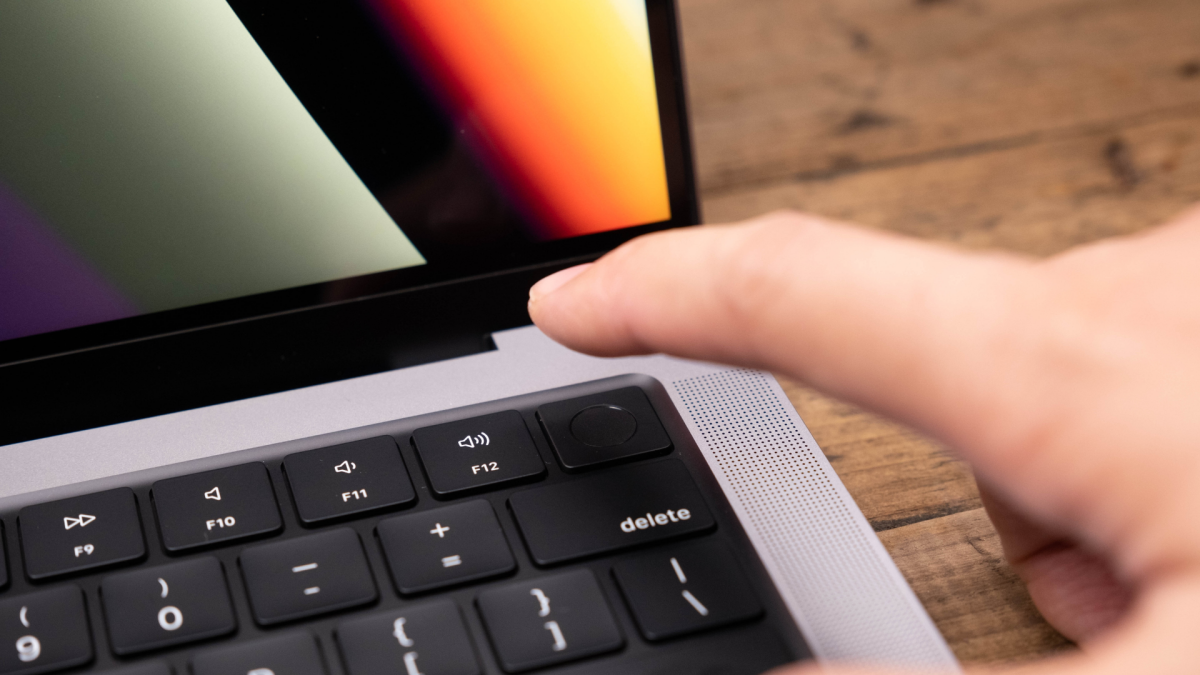
To create the passkey, you simply need to use your device’s built-in authentication method. That might mean a face scan, a fingerprint scan, or a PIN. Once you successfully authenticate yourself, the passkey is established. To log in in the future, you simply authenticate with one of those same three methods. If it goes through, the system then checks with the account that holds the public key to confirm your identity, and you’re in—no password required.
Your passkeys are securely stored on your devices, typically in a “vault” such as a keychain or password manager. Apple generates and stores passkeys in iCloud Keychain, for example. If you use a password manager, like Bitwarden or 1Password, you can create and store passkeys there. Any device that has access to that password manager can then also access the passkey for authentication.
However, you don’t need to log into your accounts on the device that contains the passkey. If you’re using a different device, say a friend’s computer or a tablet that doesn’t contain the passkey, you will have the option to use your trusted device to authenticate. For example, say you want to check your bank account on your PC, but your account uses a passkey stored on your iPhone. You can choose to authenticate using the passkey device, which will trigger the account’s site to present a QR code. You can scan the QR code on your iPhone, authenticate using Face ID, Touch ID, or your PIN, and you’ll log in. This is also how the feature works when signing into accounts on devices that don’t store passkeys directly, like a PlayStation 5.
Are passkeys secure?
The short answer? Yes. Passkeys are an extremely secure authentication method. While they’re way more secure than passwords, they’re even more secure than 2FA. 2FA is great, and certainly better than using a password alone, but it is possible for attackers to steal the authentication codes—especially when these codes are SMS-based. This can be as sophisticated as hacking into the platforms that send your codes, or as simple as a phishing scheme: Scammers can pose as representatives of the account in question, and trick you into sharing your 2FA codes with them. As such, 2FA, while secure, has an inherent phishing flaw.
Passkeys don’t have this flaw. You can’t be tricked into giving over one of your passkeys, nor can a hacker steal it from your device. The system won’t prompt you to authenticate unless you are visiting the exact domain for the platform, which means scammers can’t create dummy sites that trick you into logging in: The passkey process will simply not start. Importantly, signing in via a passkey requires the trusted device to be physically close to the device you’re logging into. As such, a hacker can’t send you an image of a QR code, trick you into scanning it, and then convince you to authenticate to log in. Unless you’re in the same room as the hacker, they’re not getting your passkey.
What if I lose my device?
One of the most common concerns regarding passkeys is what happens when you lose the device the passkey is stored on. After all, if the secret key is kept only on your smartphone, what happens if it is lost, stolen, or breaks?
As it turns out, there are a few possibilities here. First, it is true there is a risk of losing the passkey for good should you lose access to the trusted device. If you choose to store your passkeys on a physical security key, like a YubiKey, losing or breaking the key will mean losing your passkey. However, depending on the account, you may have recovery options—such as answering security questions to prove your identity. This will be case-dependent, of course: If your account only has a passkey set up, and that passkey is only stored on one device, you may lose access to the account. Check if your accounts offer recovery options, or even backup authentication measures. Some accounts may still have you create a password, even if you opt into passkeys, because of this possibility.
But more importantly, you don’t need to keep your passkeys to just one device. There are secure protocols that allow you to sync your passkeys between different devices. For example, if you create a passkey on your iPhone, iCloud Keychain securely syncs that passkey to your other connected Apple devices as well, such as an iPad and Mac. That way, when you want to log into your account on any of these devices, the option to authenticate with your passkey will be available on any—you just need to use Face ID, Touch ID, or present your PIN, and you’re in.
Can you export passkeys?
At this time, no. This is probably passkeys’ biggest drawback. Unlike passwords, which you can export to other password managers, passkeys are stuck to the service they’re generated with. If you set up a passkey for your Google Account on your iPhone, you won’t be able to directly transfer it to, say, an Android device. If your passkey lives in Bitwarden, you can’t transfer it to Google Password Manager. As such, you should try to create passkeys on the platform you most widely use. If you’re fully in the Apple ecosystem, Apple’s iCloud Keychain will work well for you. But if you have a mix of devices from different manufacturers, you’d be better off creating passkeys on a cross-platform password manager. You can always authenticate with your iPhone, of course, but the true convenience of passkeys is quickly logging in on a device that already contains the passkey.
That doesn’t mean you need to keep this service forever, however: You can set up new passkeys for existing accounts on other services, so you can securely get rid of your old passkey devices. However, make sure to keep the old device until you have the passkey established on a new one. If something goes wrong, and you’re not able to set up a new passkey on another device, you’ll need the old device to confirm your identity—unless you have an alternative authentication option, like a password.
Passkeys aren’t perfect: In practice, they can be a bit complicated, especially when working across different devices. But at their best, they offer both convenience and security. If you aren’t particularly tech savvy, or if you’re not totally entrenched in one tech company’s ecosystem, it might be a bit too early to go all-in on passkeys. But passkeys can keep your accounts safe and secure, so long as you understand these other weaknesses.
